|


|
Synopsis: Fully immersive 3D track simulation, with complex hand designed tracks, sky and ground scenery, track supports,
realistic physics, an easy-to-use professional editor with quick track selector and advanced detail modes, velocity controls,
headlights, multiple viewports, stereographic support, a dozen track colors, and red/blue reflectors.
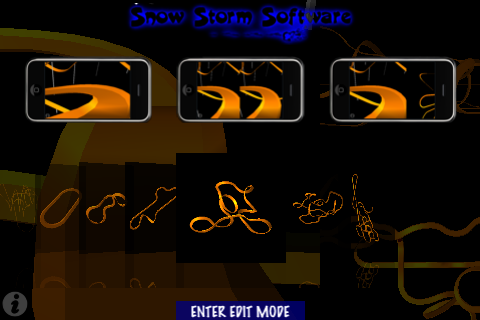
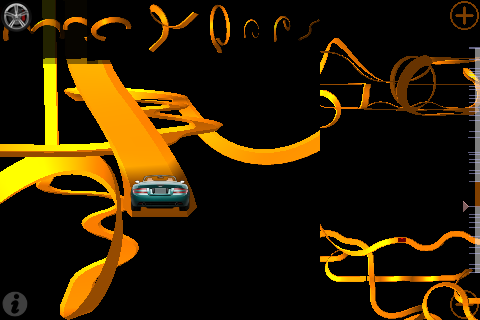
3D track racing simulation, now on the iPhone! Experience car tracks in full 3D, complete with supporting structures, dramatic lighting, acceleration physics, and quaternion based construction. Add an extremely quick and easy track editing system, and then a professional extreme-detail mode, and you have the complete package. Ride along the fast paced, detailed tracks that are included using familiar and unique sections leading to an authentic experience. Then, develop your own tracks, perhaps your favorite raceway, freeway, or just one from your imagination, the possibilities are endless. Warning! The intense immersive 3D stereographic mode makes this ride feels so real you may feel dizzy or nauseous. Enjoy! 3D Stereographic modes do not require glasses, just a relaxed set of eyes and some practice. Three modes of operation and several tracks are included, however, you may create as many tracks as you like. The stereographic mode is our favorite since it makes the track seem so real, however, when docked, the fullscreen and viewport views are best. The viewport view wows you with the detail shown at multiple angles, and is the view used for editing your own tracks.
|
Notes: The Cross-Eyed stereographic animation is simply viewed by relaxing your eyes and focusing deep within the display, which will come to life in full 3D glory, just like you were actually there. Be mesmerized by a smooth ride on the track which appears to go deep into your display. No glasses are required, the display happens to be a pleasing size to view these effects and you will be amazed. When viewed correctly, you will see three images, with the center one in stereo, then just watch and enjoy. |
A normal 3D view and a Viewport view with top and side views are also available, just touch the Info button and select the mode.
Hints from testers for viewing the 3D stereographic effects:
|

Contact Snow Storm Software
Copyright © Snow Storm Software 1996-2011 all rights reserved